
You make, repair or create things to order… and to sell on WordPress, you are offered either a heavyweight system or a plain contact form. There is now a third way. It is free, and it has just arrived in the official WordPress plugin directory.
Torlann is available on WordPress.org. You can install it from your dashboard like any other plugin, in a few clicks.
One store, two ways to sell
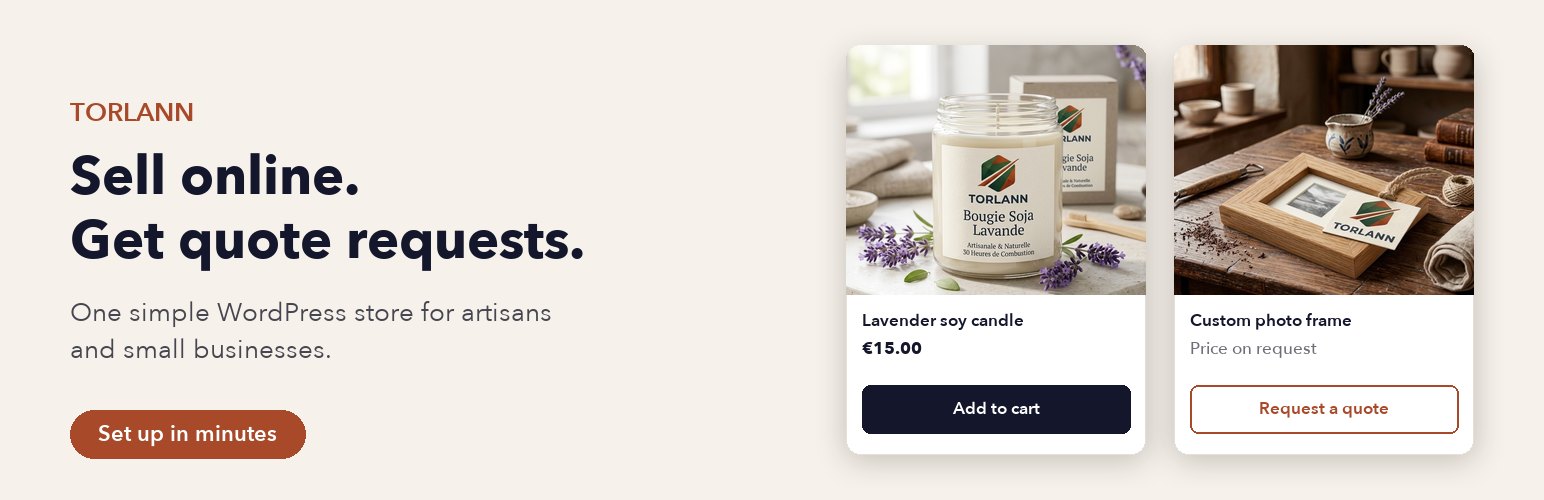
Most makers and small businesses sell in two ways at once: products with a fixed price, and projects that need a quote. Torlann handles both in the same store.
- A €15 candle? “Add to cart” button, checkout, order. Simple.
- A made-to-measure photo frame? “Request a quote” button: your customer describes the project, you receive the request and reply with a price.
Choose for the whole store (online sales, quotes only, or both), then adjust product by product. To go further, read our guide on adding a quote system to WordPress.
What you get, for free
- Unlimited products, categories and variants (sizes, colors, materials).
- Cart, side cart drawer and checkout, built for mobile.
- Quote request form and a dashboard to follow every request.
- Delivery zones and rates, plus click & collect.
- Bank transfer payment, with the order reference shown to the customer.
- Automatic confirmation emails and an orders dashboard.
- CSV catalog import, including from WooCommerce, Shopify or PrestaShop.
- A setup assistant that configures country, VAT, currency and delivery for you.
Why WordPress.org changes everything
Being in the official directory is more than a showcase. Every plugin is reviewed by the WordPress.org plugin review team before it is published. For you, that means:
- One-click install from Plugins → Add New, no file to download.
- Automatic updates, right in your WordPress dashboard.
- No account, no license key: the free version is a complete store, not a demo.
- Your data stays with you: orders and customers are stored on your own site.
Install Torlann in minutes
- In WordPress, go to Plugins → Add New and search for “Torlann”.
- Click Install, then Activate.
- Open Torlann in the menu: the assistant asks a few questions (country, what you sell, how you deliver).
- Import your products or start with the sample catalog, then publish your store.
Starting from scratch? Our guide to creating an online store with WordPress walks you through it step by step.
Who is it for?
Torlann is made for artisans, workshops, makers, florists, fashion and shoe brands, local producers, and every independent business that sells products and custom work. If you manage thousands of products with dozens of add-ons, WooCommerce remains an excellent choice: we explain the differences honestly in our WooCommerce or Torlann comparison.
What’s next?
The free version will stay complete. If you want to take card payments, Torlann Pro adds Stripe and PayPal, discount codes and advanced design, while keeping all your products, orders and settings.
Trying it out? Tell us what you think: a review on WordPress.org helps a new plugin enormously.